How to Convert DEM to Point Data in ArcGIS (Step-by-Step)
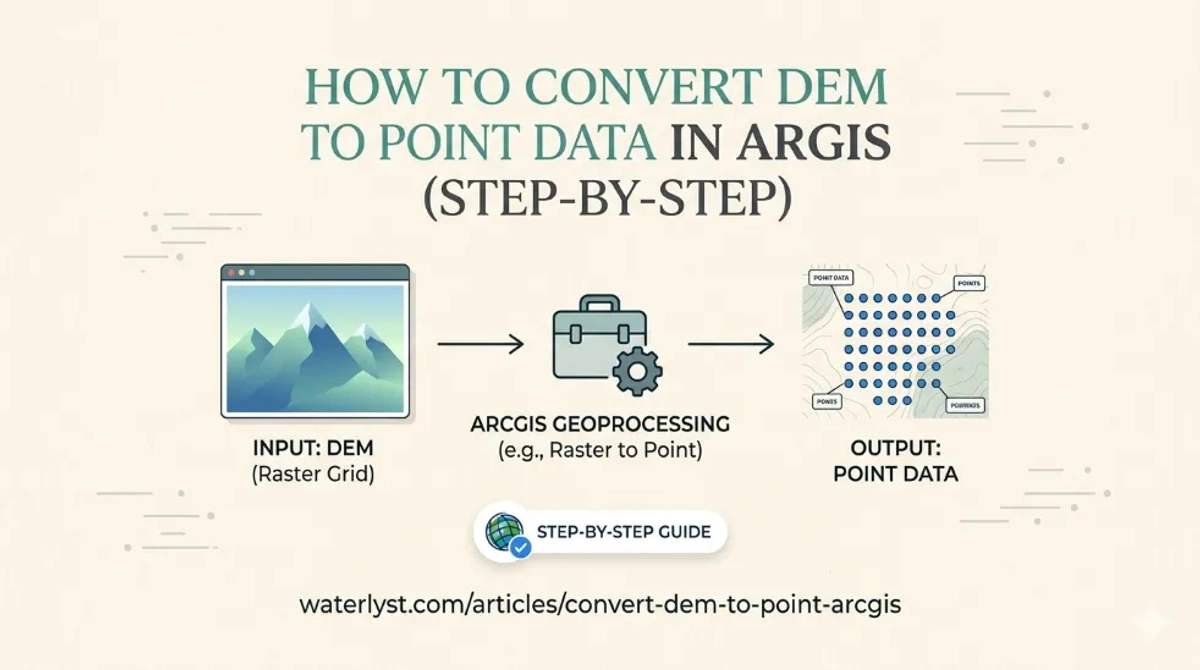
Unlock the full potential of your spatial analysis by mastering the precision of DEM to Point conversion in ArcGIS.
HHadi
· 30 min read· 71 views
Unlock the full potential of your spatial analysis by mastering the precision of DEM to Point conversion in ArcGIS.
Quick answers to common questions.
In the past, designers and engineers used various software, such as AutoCAD, Microstation for designing, SAS, SPSS, and MATLAB for analysis and statistics. Besides, GPS was a tool for survey and analysis data survey. The development and growth of GIS caused most of this software to be mixed into ArcGIS.
ArcGIS is comprehensive software for the geographic Information System that was generated by Esri. ArcInfo is one of the first ArcGIS software programs created in the 1980s for analyzing data. ArcGis introduced a new version of this software, which is more comprehensive than ArcInfo, in 1999. Also, it is based on the programming language C++. This platform includes different components such as ArcCatalog, ArcMap, and ArcTools; one of these components is specifically tasked with managing and analyzing spatial data.
These days, technologies like mobile and cloud computing are adopting ArcGIS. Esri generated a mobile version of ArcGIS. Also, ArcGIS Online was introduced in 2015, which is a platform based on the web for managing and sharing GIS data. Also, they have developed ArcGIS Pro, which has the capabilities of 3D modeling and tools for analyzing big data and learning machines.
Accordingly, in the past, designers and engineers needed to refer to different software for designing and analyzing. Nonetheless, these days, ArcGIS is the most popular and used platform worldwide due to its extensive range of applications. This platform is used in various fields such as urban planning, natural resource management, disaster response, and similar items.
ArcGIS has several advantages, including tools for analyzing special analytics, generating maps with the highest quality, available global data such as satellite images, and also collaboration and sharing capabilities with other users mentioned. In addition, ArcGIS supports different formats of data, which has some facilities for strong management for organizing the data. Additionally, this software allows easy and fast work due to its user-friendly interface.
It needs to follow the steps below for converting a file raster into elevation points in geographic information systems (ArcGIS). A raster file is required for this process. We recommend engineers refer to the following link for comprehensive information.
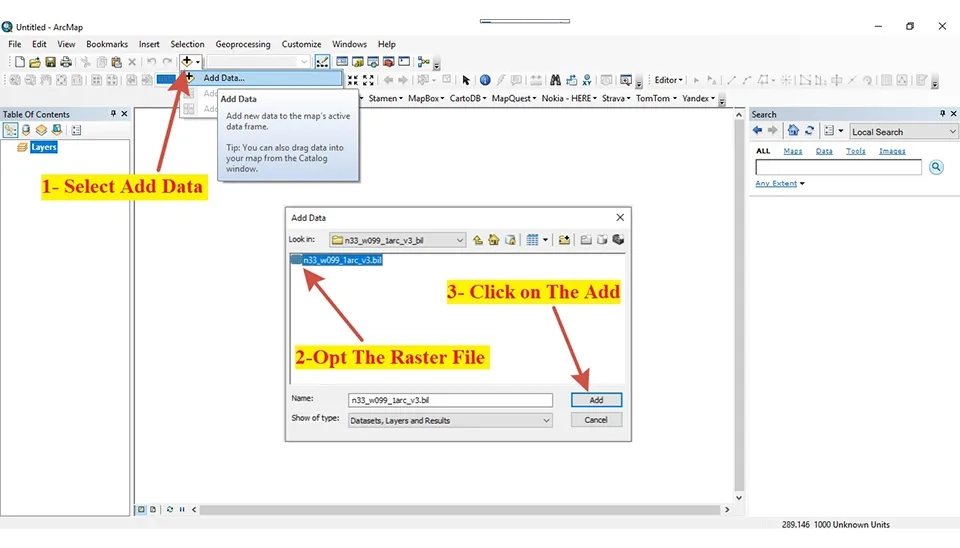
In the beginning, import the raster file that was saved on your computer into ArcGIS. Firstly, to import the raster file, you need to select Add Data in ArcGIS. Then, open a new window that opens the Raster file on your computer. Next, click on Add to add the raster file into ArcGIS (Figure 2).
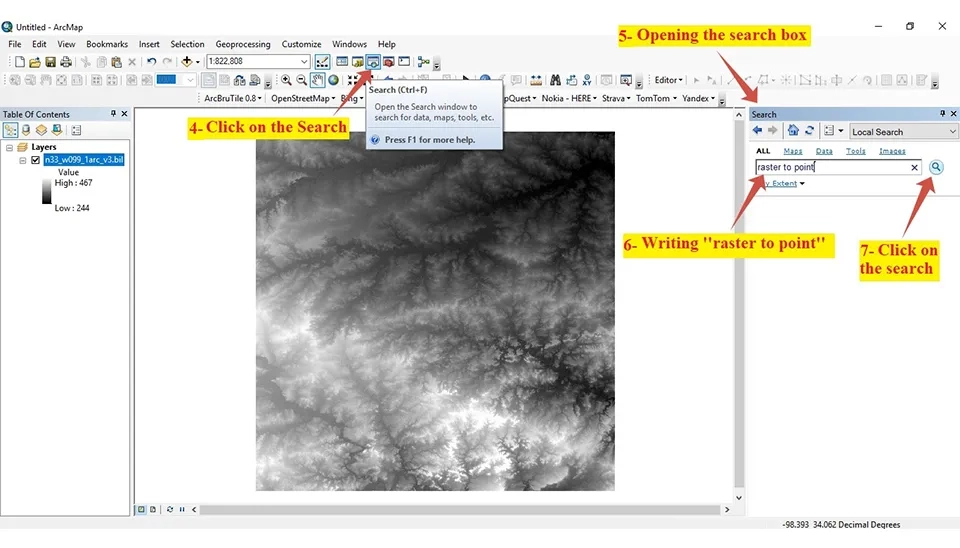
In the second level, it needs to open the box of the search, then search the “Raster to Point” (Figure 3).
In the third level, it must choose "Raster to Point (conversion)" after searching. Then, open the box "raster to point." Next, it selects and saves the raster file as an elevation point (Fig. 4).
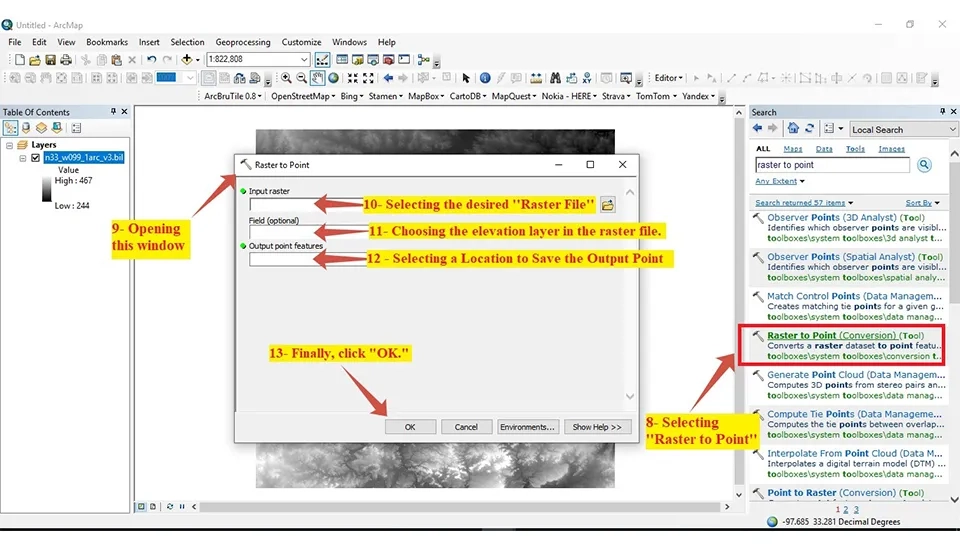
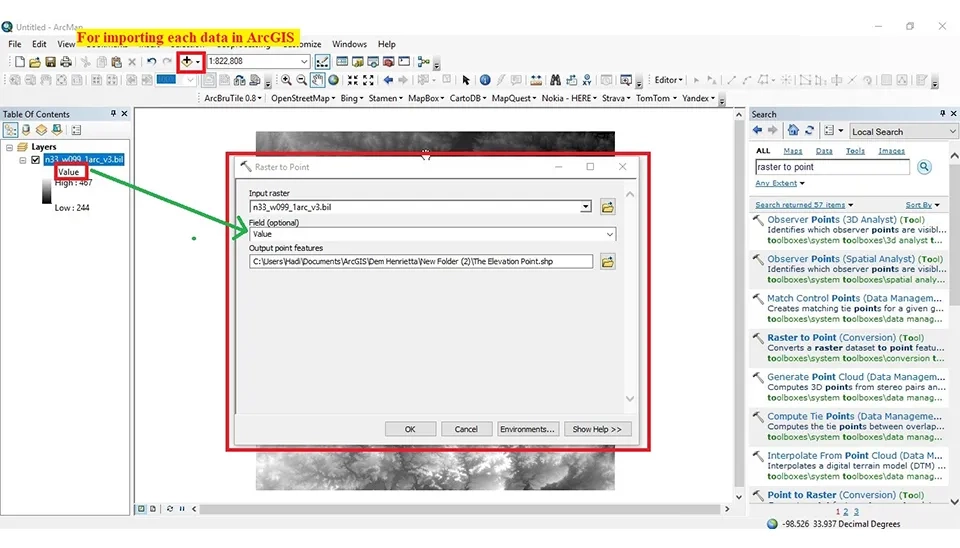
It must select the value for the "Field Optional" (Figure 5). Finally, it must click on "OK" and wait some minutes to convert the raster file to an elevation point.
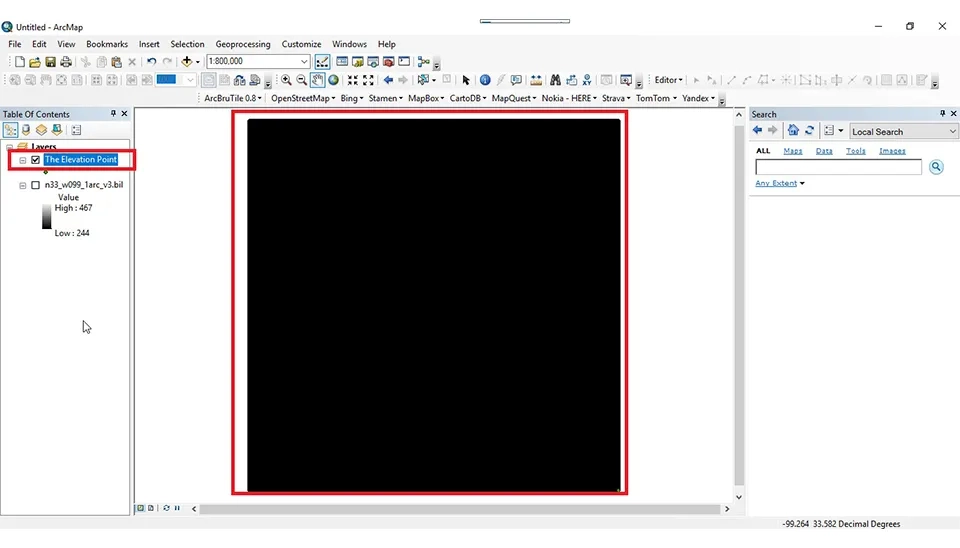
Finally, ArcGIS can display the point once the raster file has been converted (see figure 6). If the elevation point automatically does not open in ArcGIS, you must add the file to it. You must import the elevation point through "Add File."
It is clear that ArcGIS is a comprehensive software geographic information system developed by Esri; it is used for analyzing, showing, and managing geographic data. In the past, designers and engineers used various software individually. These days, ArcGIS has become the most popular software among designers and engineers in various fields, such as urban planning and natural resource management. Also, ArcGIS integrates various software to provide easy access for designers and engineers in each field. This software offers numerous facilities, such as advanced data analysis, visual design, and global data access and sharing. Also, it has design and simulation capabilities. Therefore, converting the raster file into the elevation point is one of the most widely used functions of ArcGIS. The steps of this method are importing the raster file, searching the convert tool, and finalizing the settings.
Keep reading













Comments
No comments yet
Be the first to comment
Share your thoughts and start the conversation.